What you need before you start
A WordPress site you can log in to, the times your boat sails, how many guests it carries, and your prices. You do not need a developer or a payment account to begin: bookings can be reserved now and paid on arrival.
Set up your boat as an activity
In HarborBook, each thing you sell is an activity. A sunset cruise and a dolphin trip on the same boat are two activities, each with its own departures and seats.
- Go to HarborBook → Activities and choose Add New.
- Pick the Timed type and enter the duration.
- Set capacity to the number of seats on the boat.
- Add your weekly sailing times, then save.
Sell shared seats and private charters together
The booking mode decides how guests book a departure: by the seat, the whole boat, or their choice of the two. Give the activity a per-seat price and a whole-boat price. A private booking takes every seat on that departure, so the last seat can only ever be sold once.
See shared and private pricing working
Open the live demo and book the Sunset Cruise both ways.
Put the booking form on your site
Add the shortcode below to any page, or use the HarborBook block in the editor.
[harborbook activity_id="12"]Test with a real booking before you share the page. Check the confirmation email arrives and the seat count drops.
Take a test booking
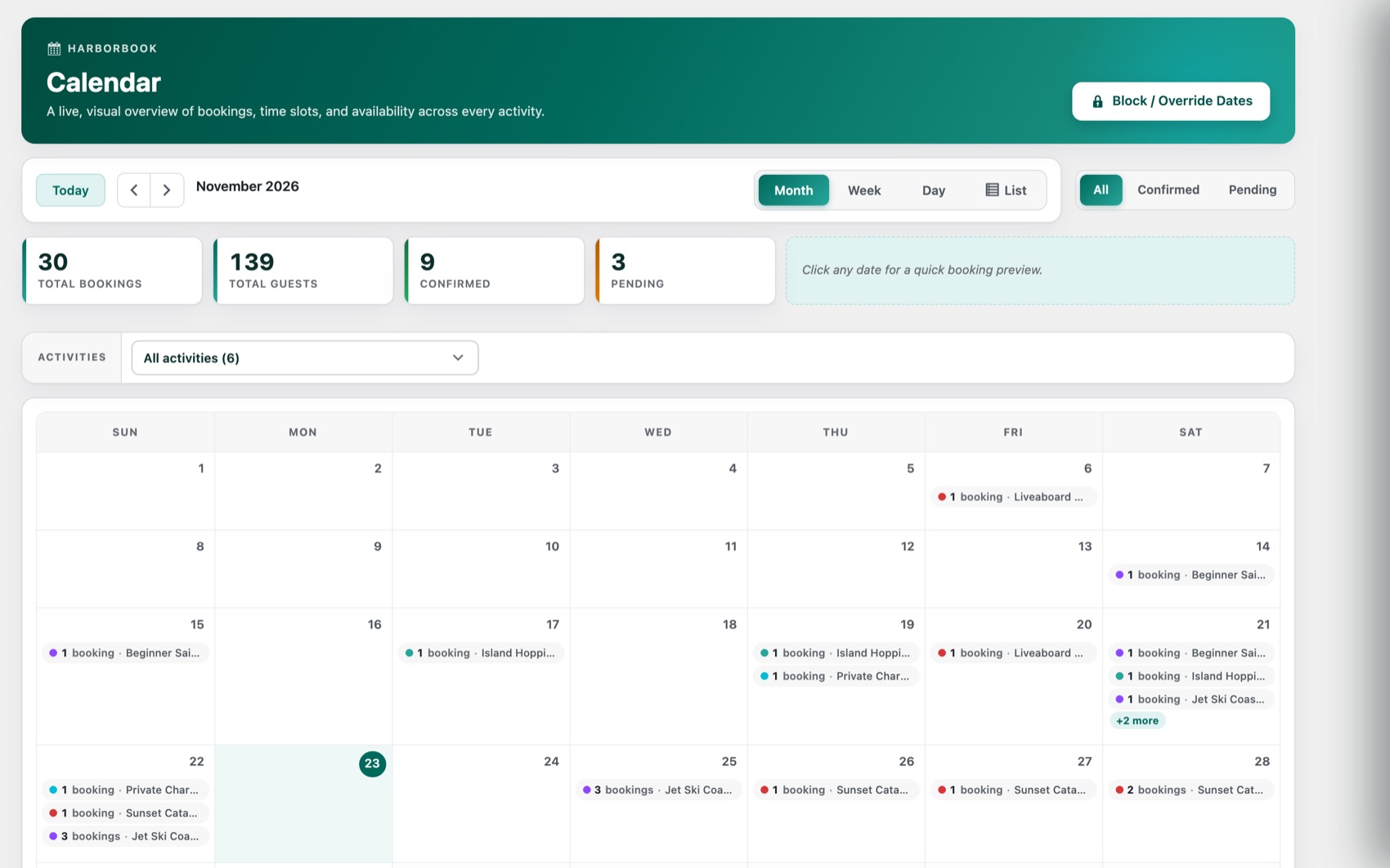
Open the page in a private window and book one seat on the next sailing. The booking appears under HarborBook → Bookings, the calendar shows one seat fewer, and the guest gets the confirmation email. Cancel the test booking to release the seat.
Ready for card payments? Read how to take card payments for tours with Stripe.
Common questions
Can guests pay by card?
Yes, with the Stripe Payments add-on in Pro. The free core takes reservations that are paid on arrival.
Can I block a sailing for bad weather?
Yes. Add a blackout date or a schedule override for that day. New bookings stop at once, and the guests already booked are listed on the booking screen so you can contact them.
Does HarborBook take a commission?
No. HarborBook takes 0% of your bookings on every plan.