A blue mountain lake between green alpine hills

Live demo

Try the WordPress tour booking plugin demo.

Click through a real booking as a guest, then see where it lands in the admin.

In short

Can I try HarborBook before installing it?

Yes. The live demo lets you make a booking as a guest and then open the WordPress admin to see it in the bookings list, the calendar and the reports. Nothing needs installing.

Get your demo access

We email you a login for a private demo site, reset every 24 hours.

No card needed. We never share your email.

demo.harborbook.co/book

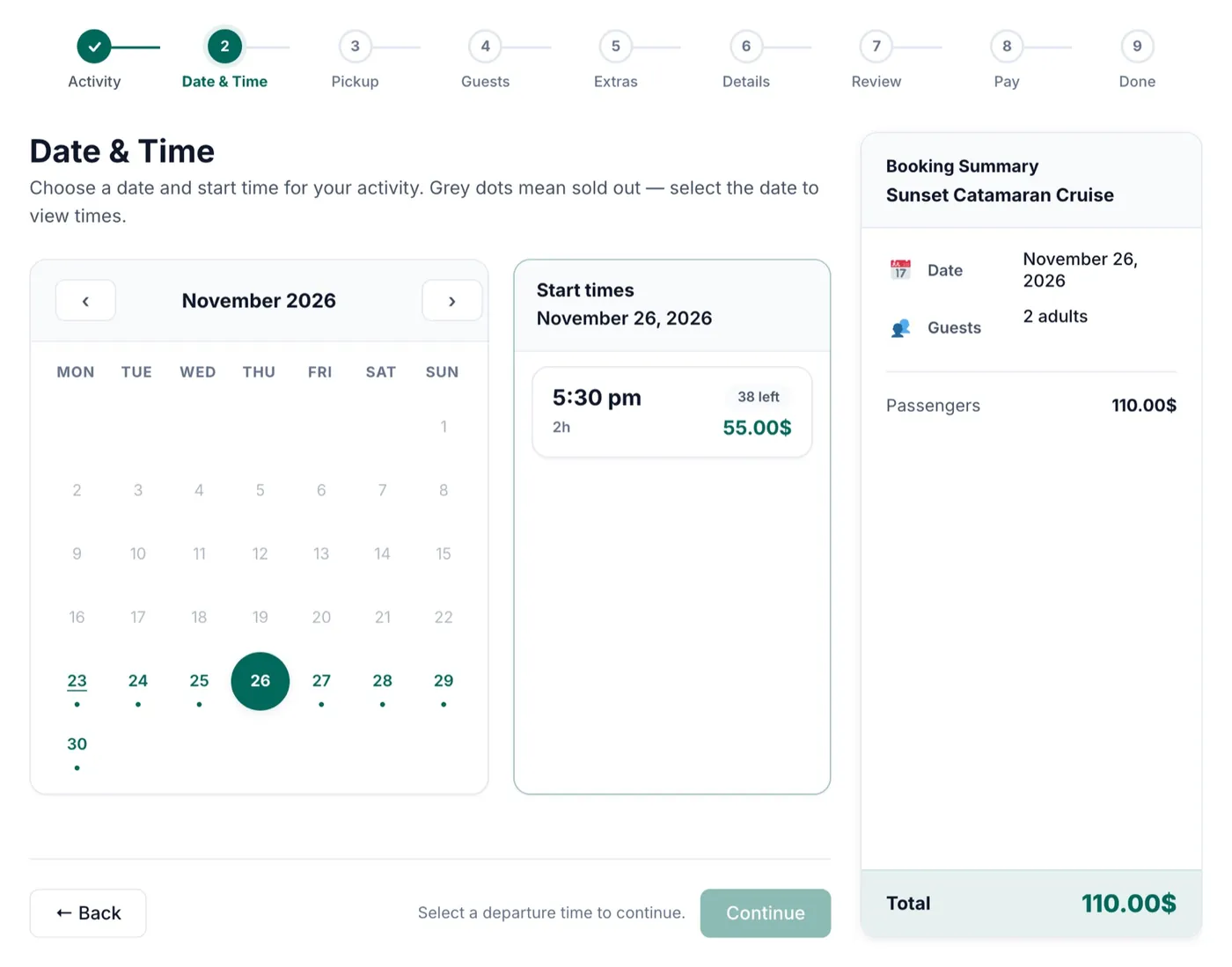
HarborBook booking form on the date and time step

Inside the demo

What you can test

Everything a real install has, on a site you cannot break.

The guest booking formBook a trip from activity to confirmation.
The calendarBlock a day and watch seats update.
Bookings and manifestsFilter, edit and export bookings.
PaymentsRecord cash, or pay with a Stripe test card.
EmailsSee every confirmation and reminder template.
All add-onsDeposits, coupons, portal, guides and popup.


The booking flow

See how guests book, step by step.

A short, clear flow on your own site. Steps that do not apply to an activity are skipped automatically.

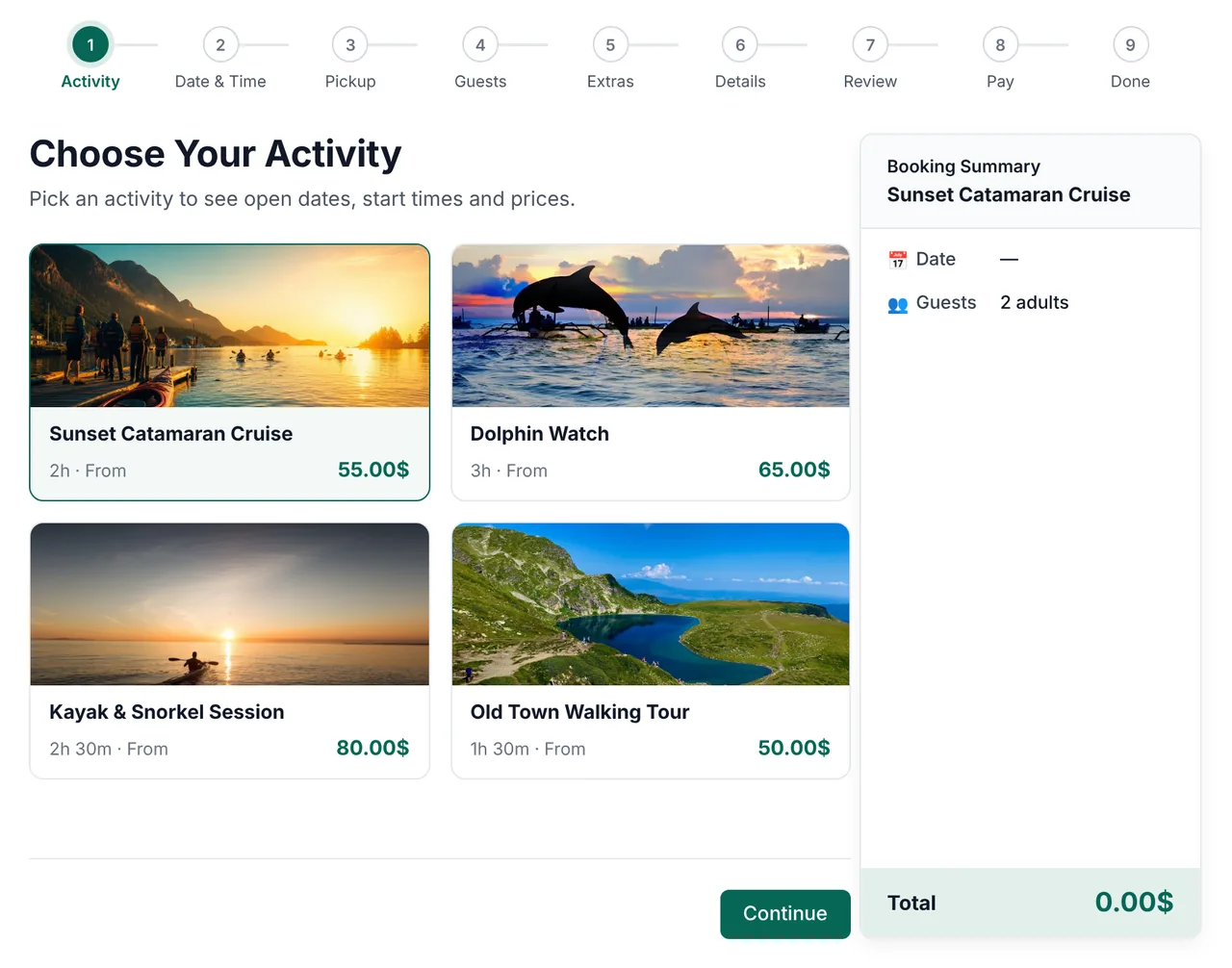
  1. Choose an activityGuests browse your activities with type, duration and from-price.
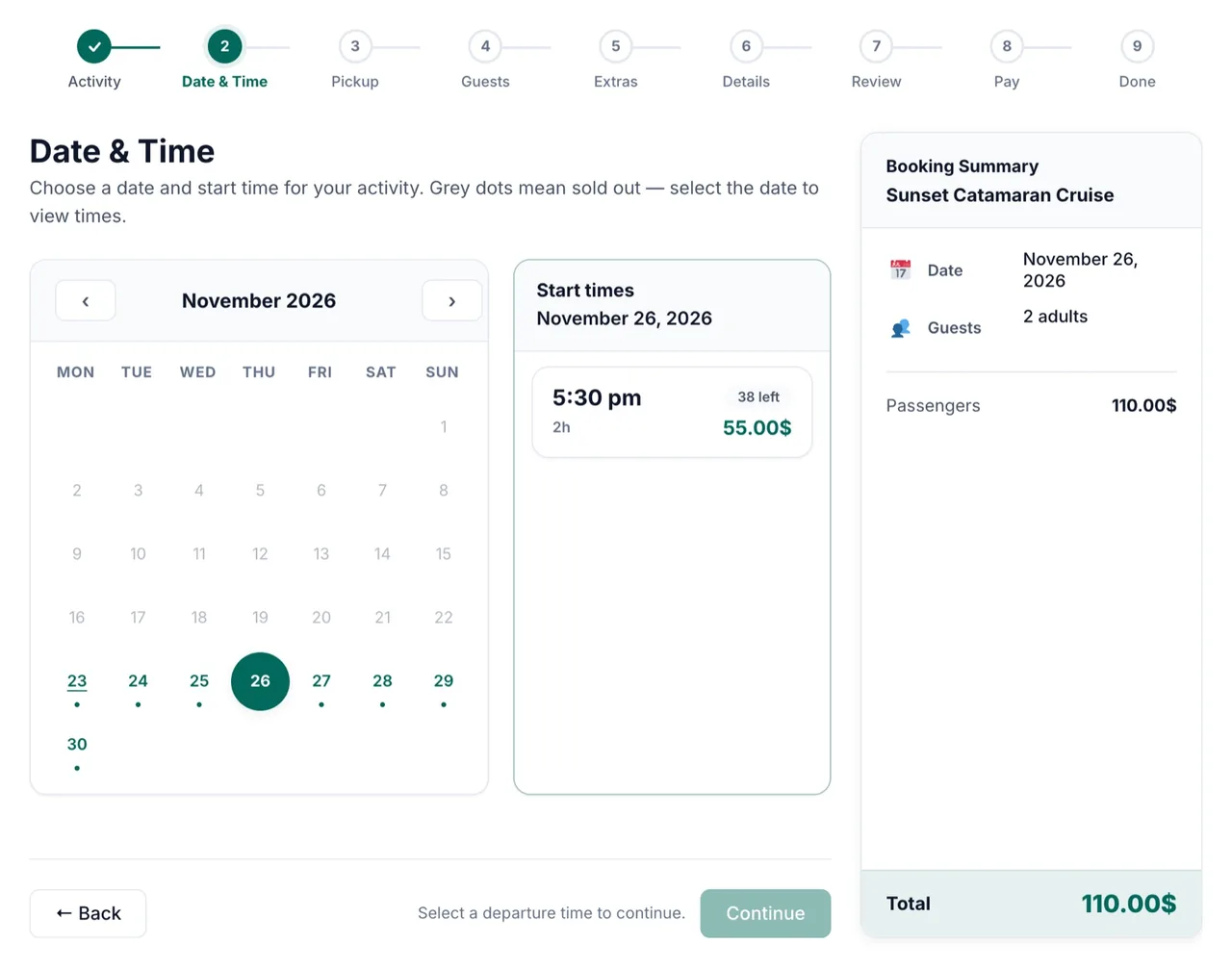
  2. Pick a date and timeThe calendar shows open days and the seats left for each departure.
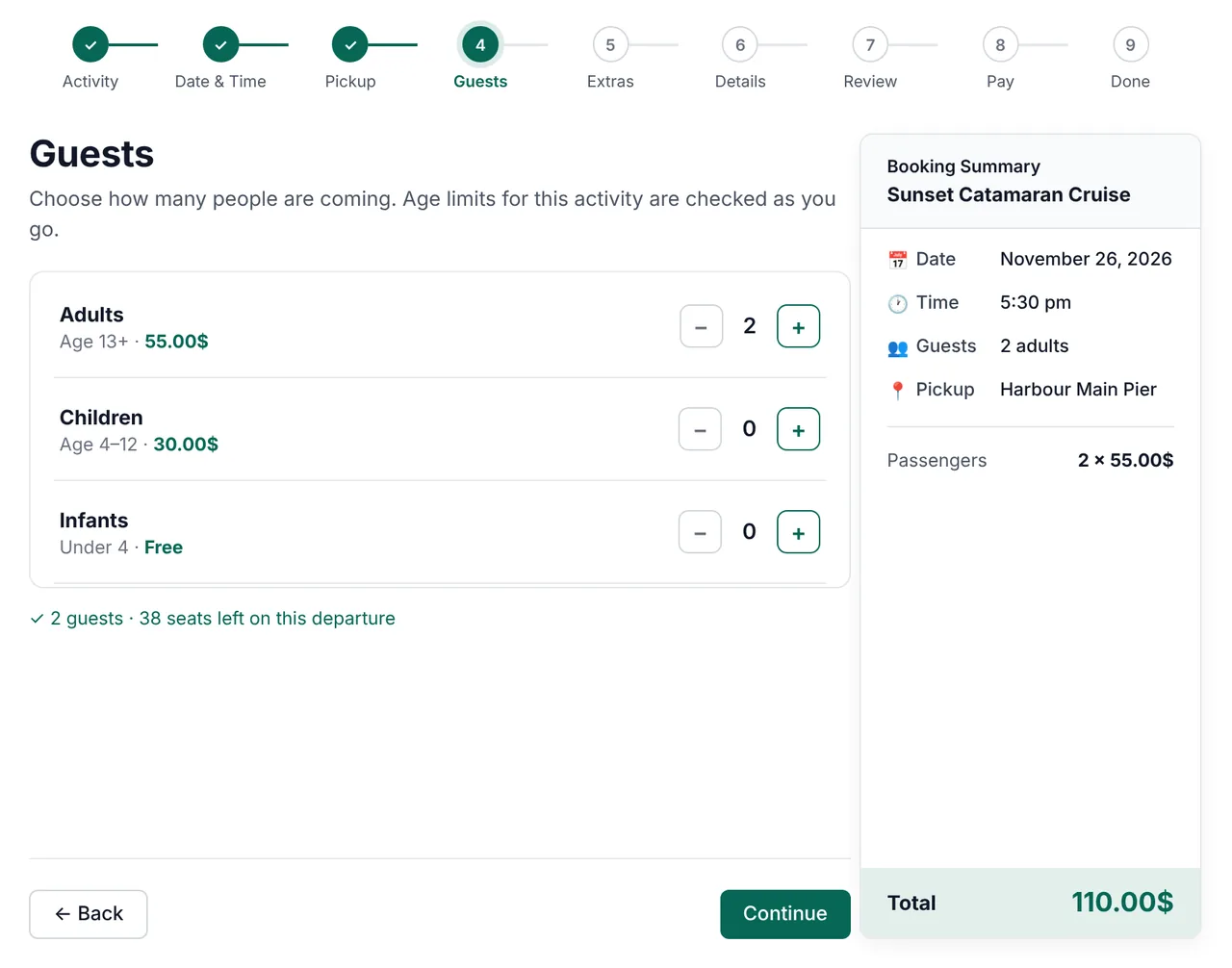
  3. Add guestsAdults, children and infants, with age and weight limits checked as they go.
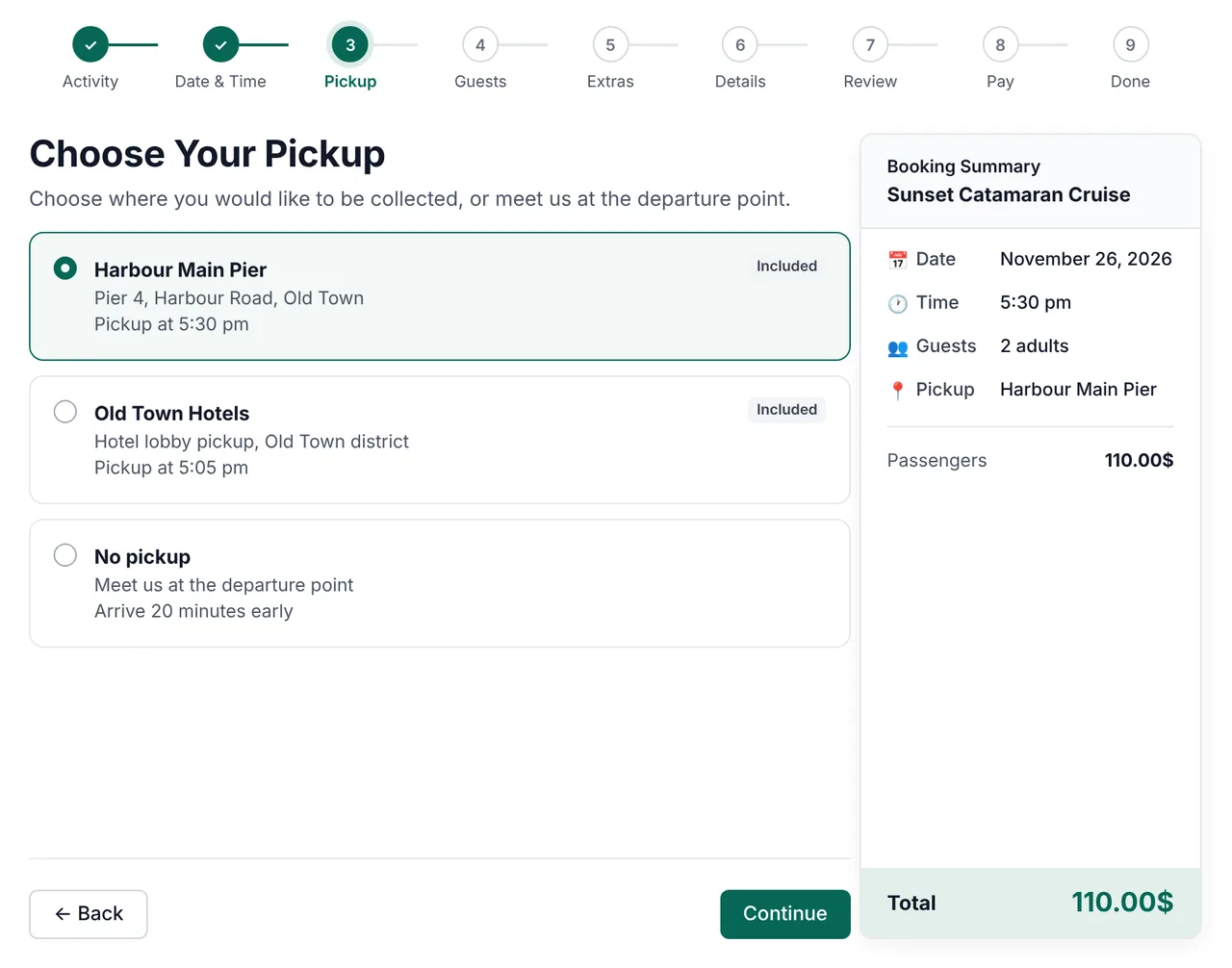
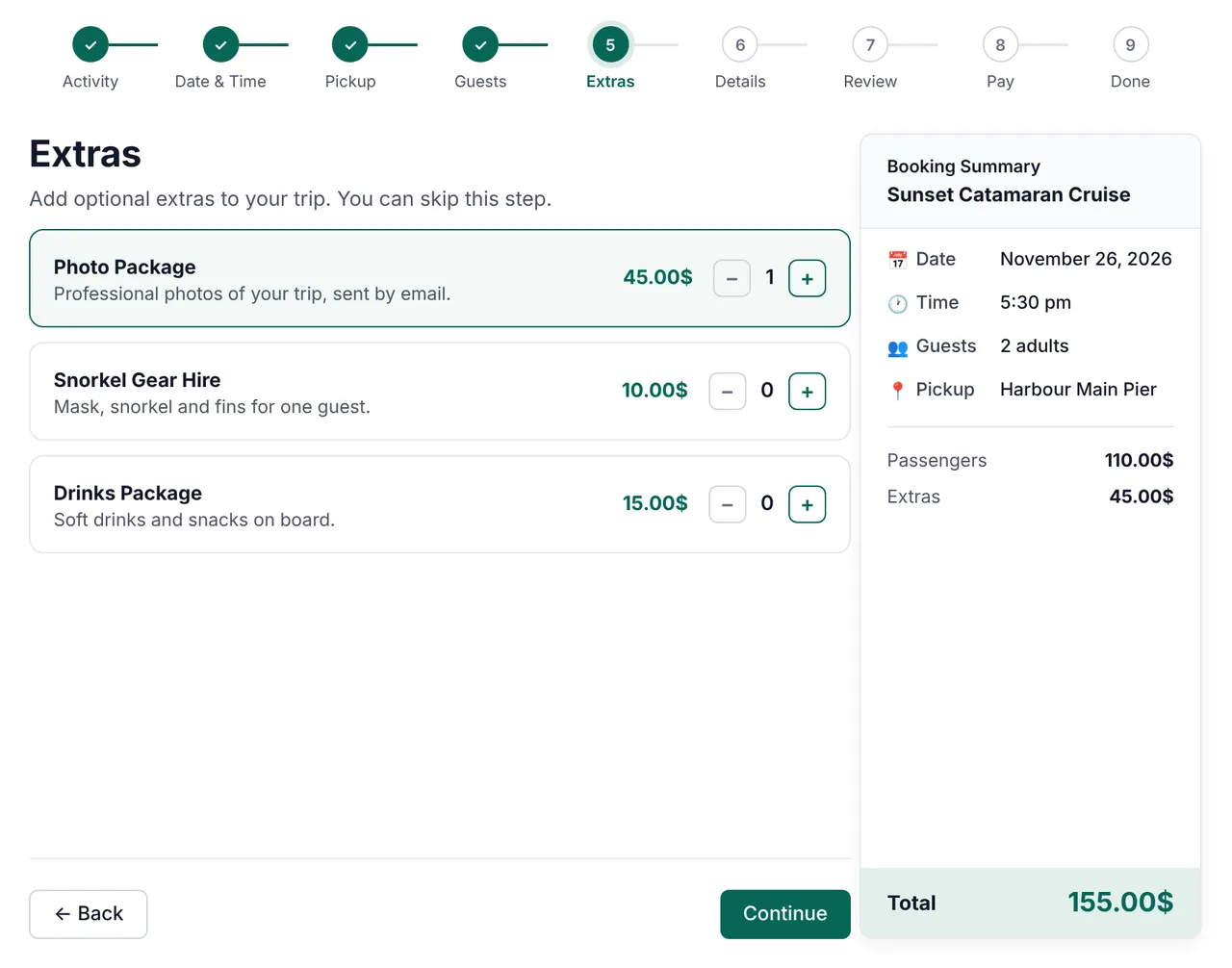
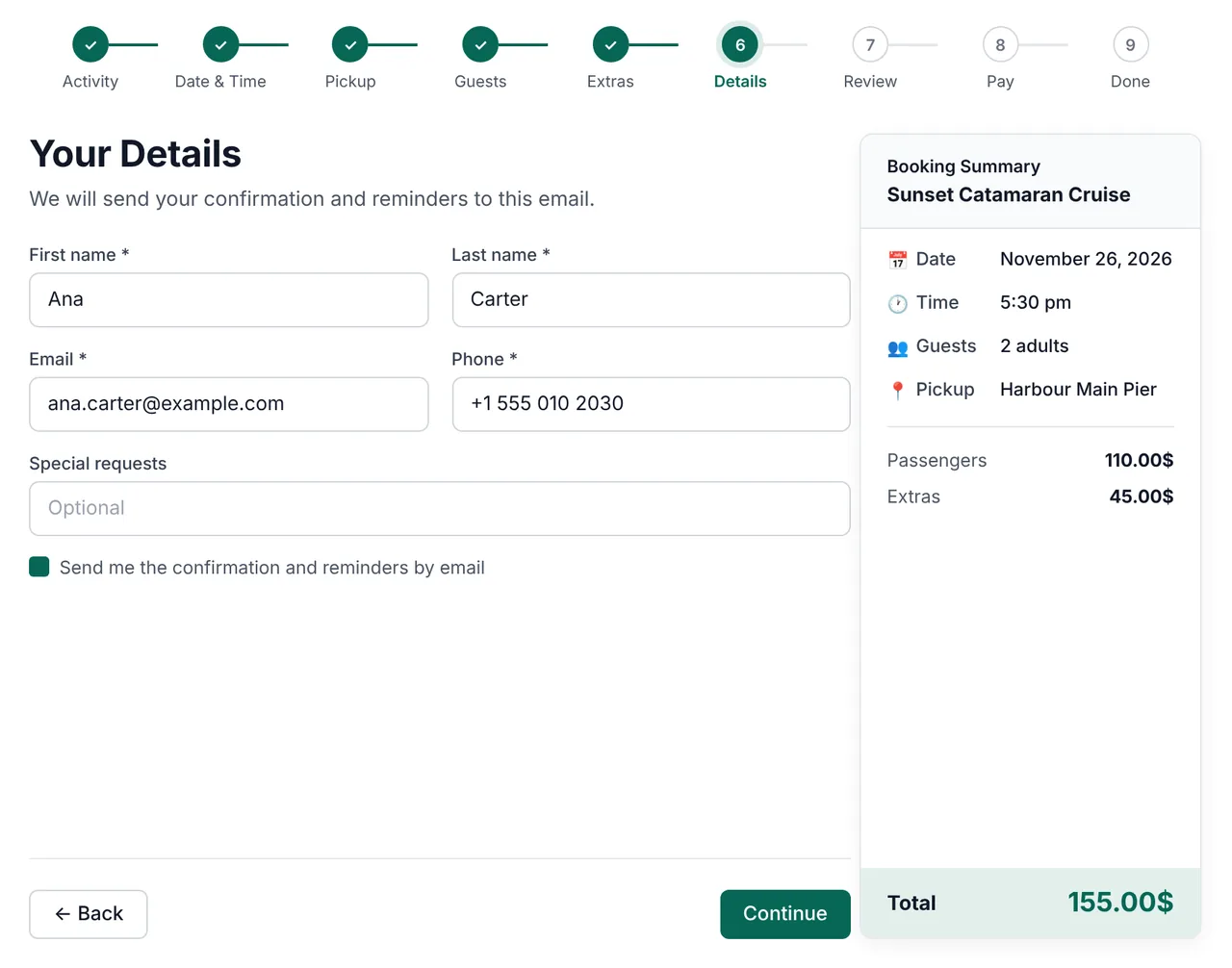
  4. Details, extras and pickupContact details, optional extras and a pickup location, with a running total.
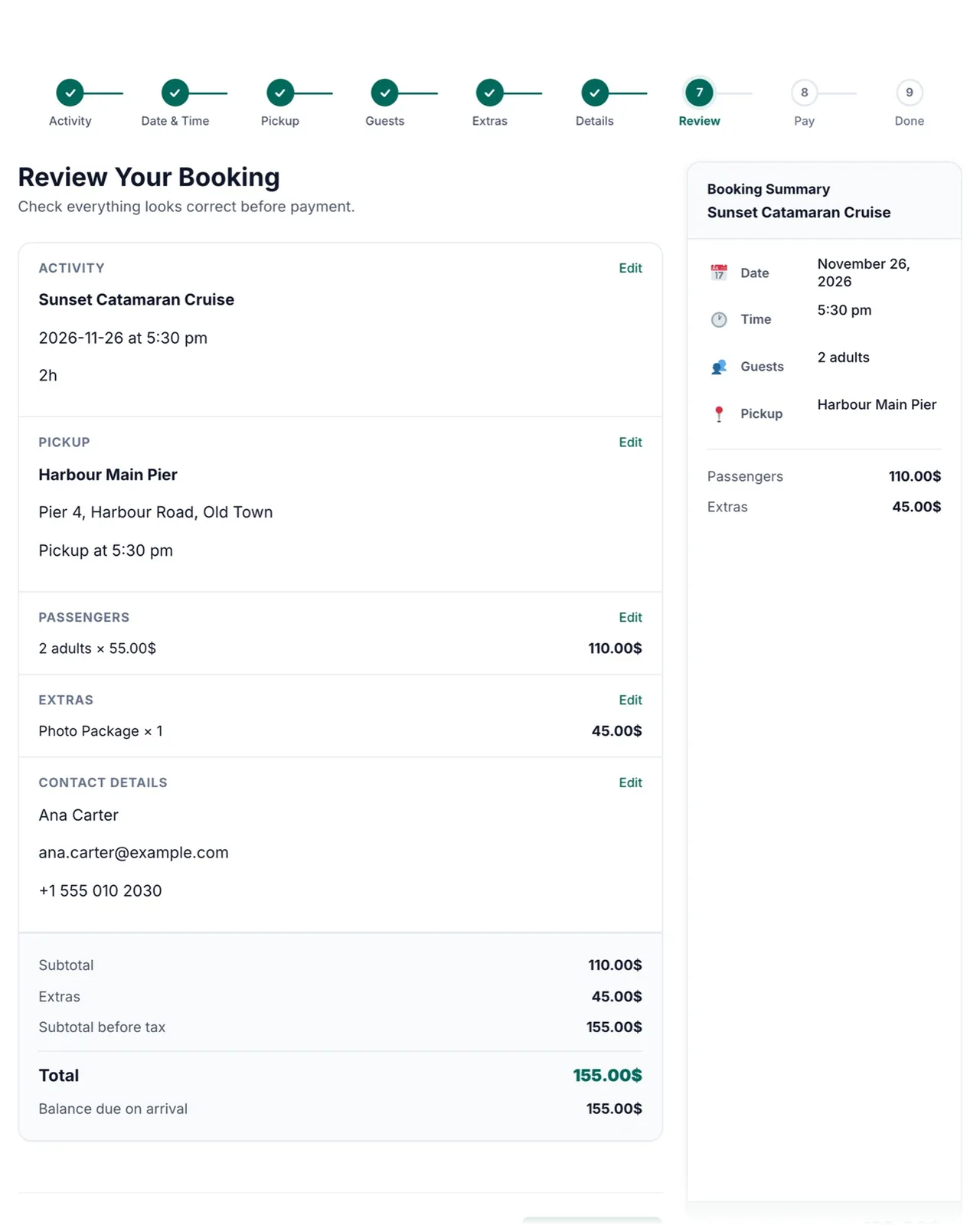
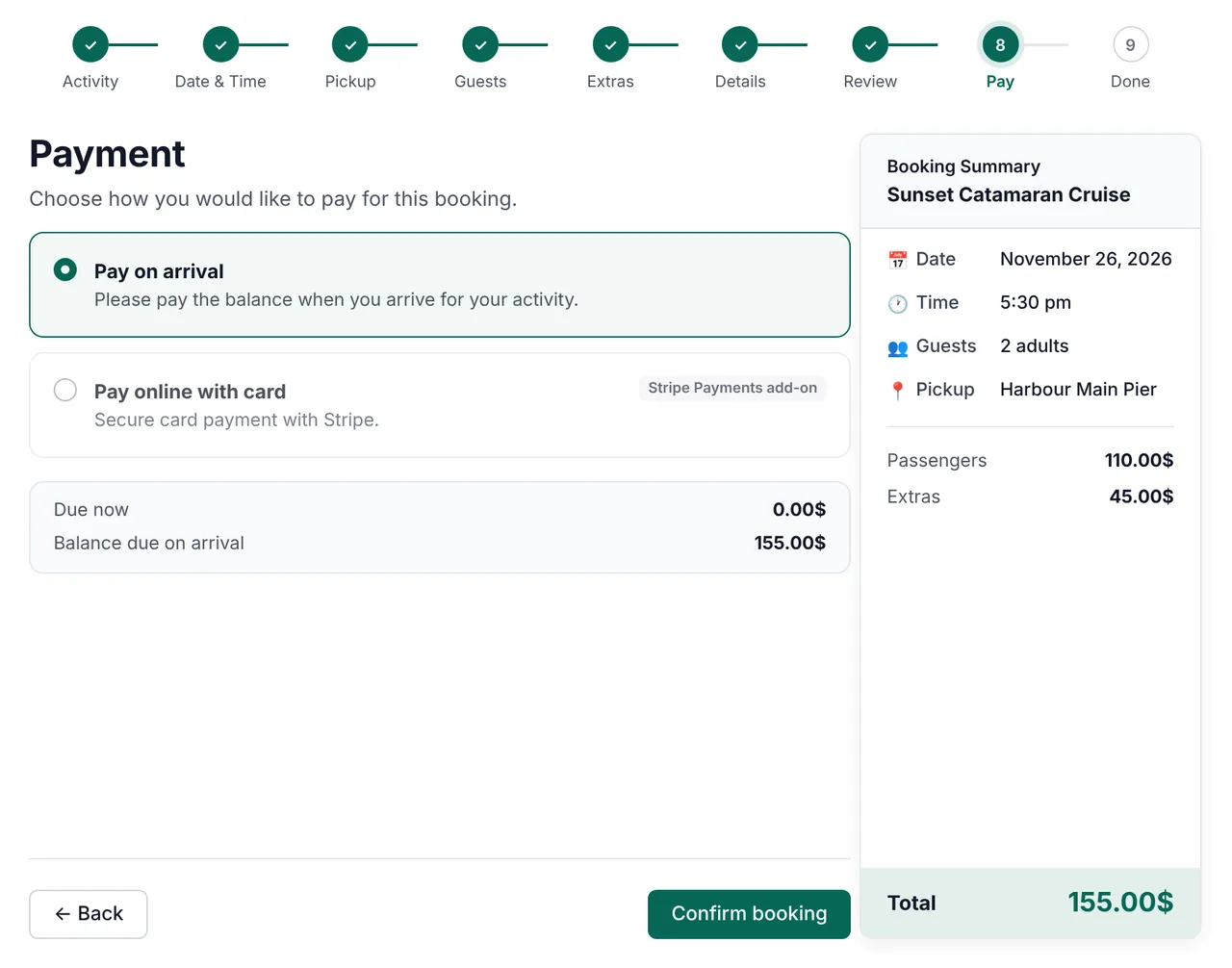
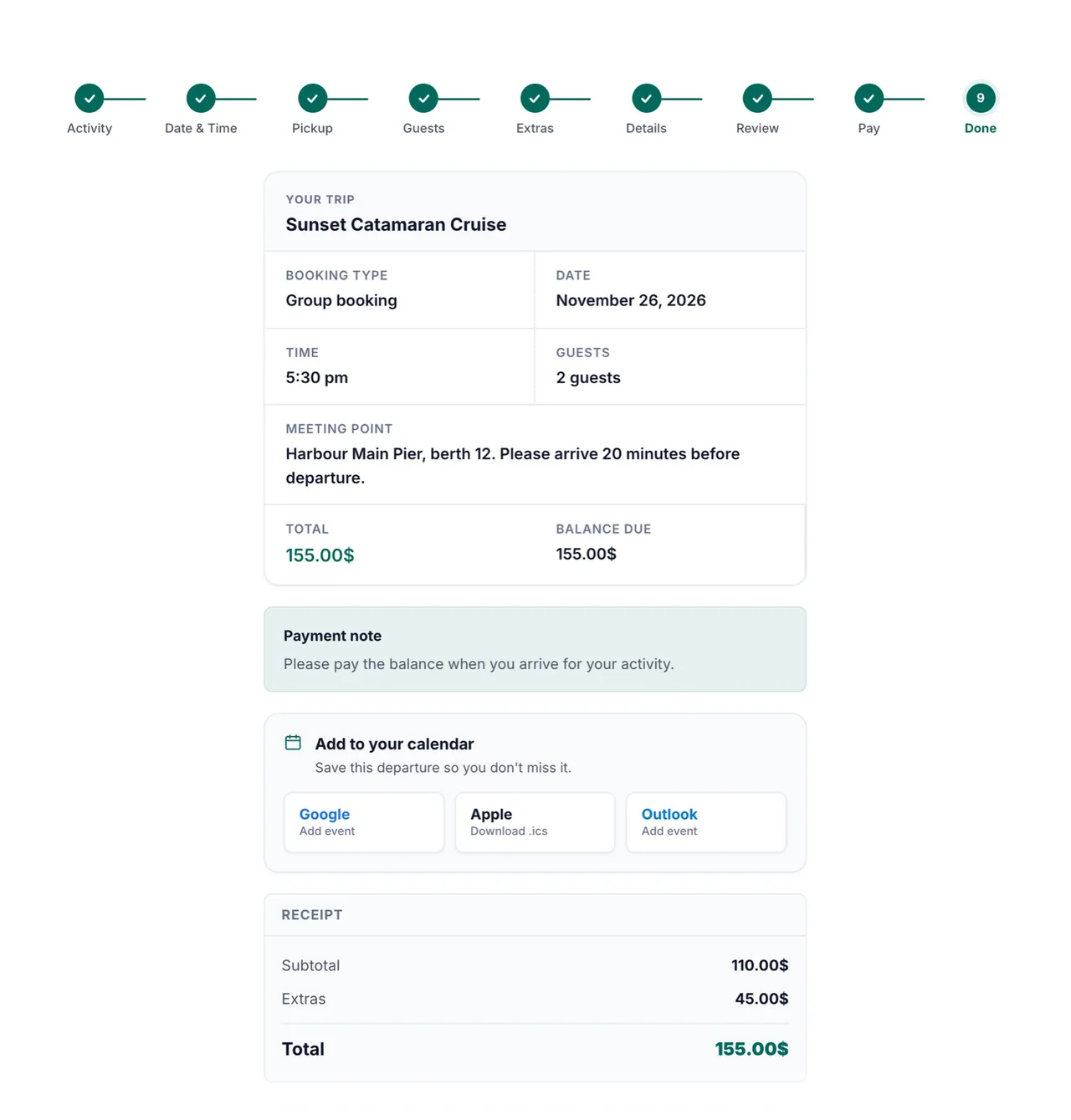
  5. Review and reserveReserve now and pay on arrival, or pay online with Stripe on Pro.

yourtours.com/book

Booking step 1 of 9. Activity: guests choose an activity, shown with duration and from-priceBooking step 2 of 9. Date and time: a calendar of open days and the start times with seats leftBooking step 3 of 9. Guests: adults, children and infants with their ratesBooking step 4 of 9. Pickup: choose a pickup point or meet at the departure pointBooking step 5 of 9. Extras: optional add-ons such as a photo packageBooking step 6 of 9. Details: the guest enters name, email and phoneBooking step 7 of 9. Review: every choice and the total, checked before paymentBooking step 8 of 9. Payment: pay on arrival, or online with cardBooking step 9 of 9. Done: the booking confirmation with the receipt and add-to-calendar links

Three things to try in the admin.

The demo site resets every night, so change anything you like.

Find your booking

Make a booking as a guest, then open Bookings and see it at the top of the list.

Record a payment

Open the booking and log cash received on arrival. The balance clears.

Block a date

Open the calendar, block a day and watch it disappear from the booking form.

Admin demo login

Username demo · Password demo · Resets daily at 00:00 UTC

FAQ

Questions, answered.

Short answers to the questions operators ask most.

Is the demo the real plugin?

Yes. It runs the same core plugin you download from WordPress.org, with sample activities loaded.

Yes. The core plugin includes a demo data importer.

Yes. The core plugin is free on WordPress.org and takes pay-on-arrival bookings without any add-on. Pro costs $149 a year and adds card payments, deposits and all the other add-ons.

Mountain lake between green hills under a blue sky

Free core plugin · no card needed

Start taking bookings on your own site.

Install HarborBook free, add your first activity and open your calendar to guests.